Everlast Server Setup Guide: From Signup to First Login
Quick Answer
You can have an Everlast: Undying Tale server running at Infected Game Hosting for $11 per month, and the 4GB Starter plan is enough for a small group settling into Sarkis together. Every plan includes unlimited player slots, NVMe SSD storage and DDoS protection, and you can test the real server free for 48 hours before spending anything. One warning before you invite anyone: Everlast locks the difficulty when a world is created, so choose it carefully the first time.
Everlast plans and prices
Plan
RAM
CPU
Recommended for
Price
Starter
4GB
2 vCPU
A small group starting out in Sarkis
Standard
6GB
4 vCPU
A busier world with regular evening activity
Ultra
8GB
6 vCPU
A large community world with lots of building
Superior
10GB
8 vCPU
Heavily developed worlds and long sessions
Extreme
12GB
10 vCPU
The biggest public worlds near the player ceiling
Those player notes are comfort guidance, not limits. IGH does not cap slots on any plan, and Everlast itself allows up to 100 players on a public world. A well-kept server can exceed the suggestion for its tier, while a world stuffed with sprawling bases and constant world events may feel better one tier up.
What Everlast Asks of a Server
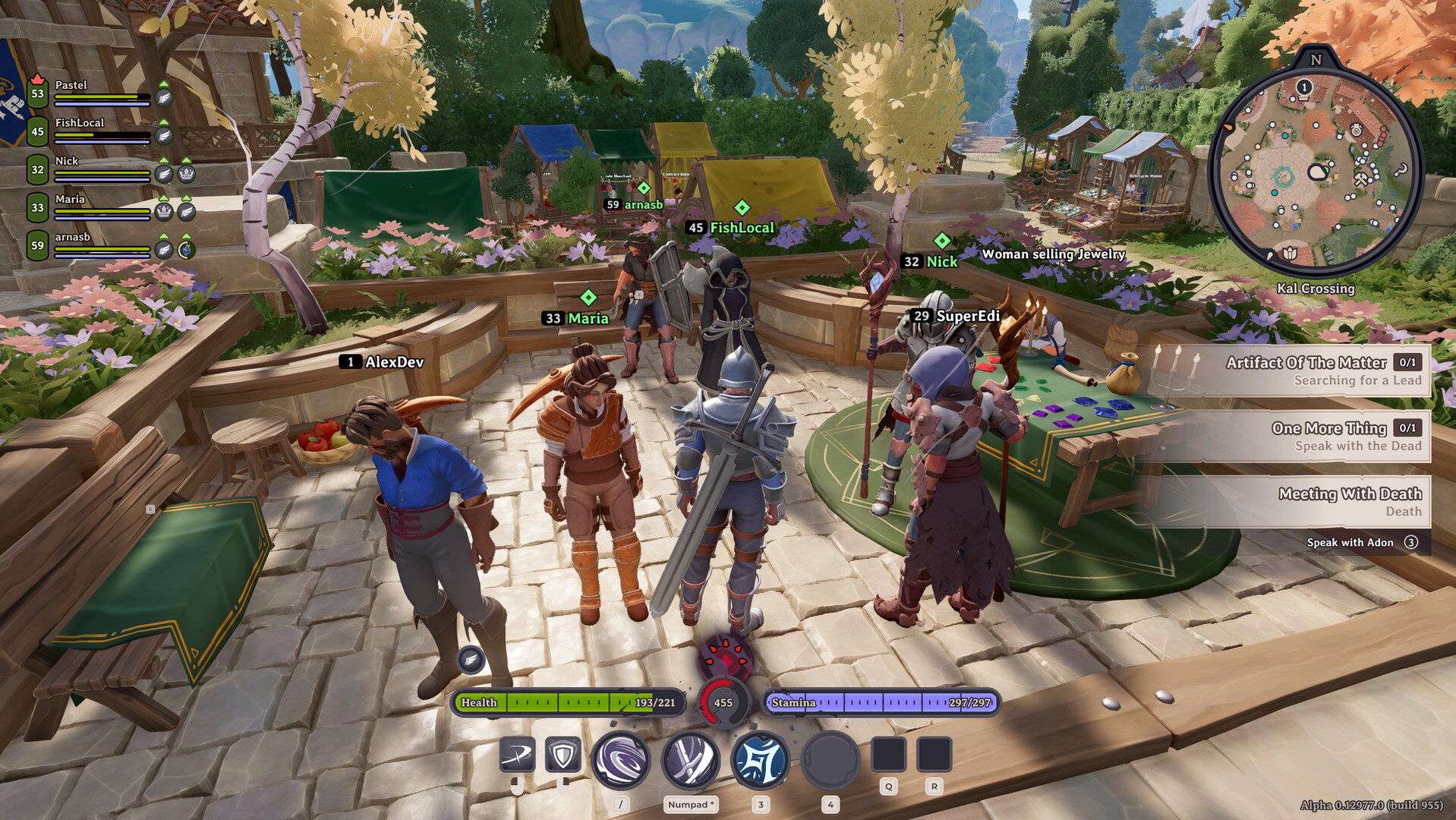
Everlast: Undying Tale is InSpades' Early Access action RPG, released on 28 October 2026, set in a hand-built world called Sarkis where the undead have risen. Players gather, craft, level skills, fish, cook, and run quests and world events. It sits in that MMO-lite space: not a full-scale MMO, but built for persistent public worlds rather than four-player sessions. You can read the developer's own description on the official Steam page.
The dedicated server runs on Linux and installs through SteamCMD under app ID 4268160. That number is easy to get wrong, because the store app is 3818450. Same game, different listing. If you ever install the server files yourself, use the server app ID, not the store one.
Because it is Early Access, expect patches to land regularly, and expect each one to matter. Everlast servers need a restart after a game patch, and players on the new client version cannot connect until you do it. On a self-hosted box that means watching for updates yourself. On a managed host it is a one-click restart from the control panel.
The engine is Unity. Nothing exotic for the host, but an action RPG with up to 100 people fighting, crafting and wandering the same world at once is a genuinely busy process. Cheap oversold hosting shows its face here as rubber-banding during world events. NVMe storage and uncontended hardware are the difference, which is exactly what the trial exists to let you check.
How Much Server Do You Actually Need
Here is the honest position: neither InSpades nor IGH has published a measured per-player RAM figure for Everlast, and I am not going to invent one. What we know is the ceiling, the engine, and how these action RPG worlds behave in practice.
A quiet world with a handful of friends exploring does not stress a 4GB plan. The load climbs with simultaneous activity, not with the player count on your invite list: a world event pulling forty people into one fight asks far more of the machine than forty players spread across the map fishing. Persistent building also accumulates over time. A world that felt fine in week one can feel heavier in week six because the bases are bigger and the storage is deeper.
My practical advice:
Two to six regulars: Starter at 4GB. Do not overbuy for a small group.
A group that hits ten to twenty on busy evenings: Standard at 6GB gives you room for the messy nights.
A public world openly advertising for players: Ultra at 8GB or above, because you do not control when people show up.
Anything aiming near the 100-player ceiling: Superior or Extreme, and treat those tiers as insurance rather than luxury.
If you are unsure, start smaller. Upgrading is easier than downsizing, and the trial lets you watch your real world before a single paid day passes. The full list of what IGH runs today is on the games page.
One cost detail to know before checkout: paid plans carry a one-time $3.50 setup fee, and it never applies to the trial. Monthly prices start at $11 for the 4GB Starter, and committing to a longer cycle discounts that plan price by 5% quarterly, 10% semi-annually, or 15% annually. An annual Starter works out meaningfully cheaper than twelve separate months.
Why Host With Infected Game Hosting
The reason people rent an Everlast server instead of playing on someone else's world comes down to control. Difficulty, PvP rules and XP rates are yours to set, and the world persists whether or not you are online. That only works if the host stays up, so here is what you are actually getting.
Every plan runs on NVMe SSD storage with DDoS protection and 1Gbit unmetered bandwidth, deployed instantly after checkout. Player slots are unlimited on everything. If your community doubles next month, nobody gets turned away at the door because of the plan name.
Then there is the trial, which is the part I would not skip. It is free for 48 hours, no setup fee and no charge for those two days, though you do need to put a card on file. If you do not upgrade before it ends, the server is terminated. IGH does not offer refunds, and the trial is the reason: you test the genuine server with your genuine world before the purchase decision, so there is nothing to walk back afterward.
Support and a knowledge base come with every plan, and the company behind it is small enough to answer like a human, as the about page suggests. For a broader look at how the plans are structured for this game, the Everlast hosting overview covers the same tiers from a different angle.
Setup: From Signup to First Login
Go to infectedgamehosting.com and create your account.
Open the Everlast server hosting page and choose a plan. Pick the 48-hour free trial option at checkout so you can validate it first.
Enter your card details when prompted. Nothing is charged for the trial period.
Wait for deployment. It is quick, and your connection details appear in the control panel once the server is live.
Before anyone joins, open the world settings and set the difficulty exactly how you want it. This is your only chance. Everlast locks difficulty at creation and it cannot be changed afterwards.
Set your PvP and XP preferences while you are in there, invite your friends with the server address, and log in to claim your spot in Sarkis.
After any Everlast game patch, restart the server from the panel before players try to connect.
Total time from signup to playing is typically under fifteen minutes, and most of that is the client downloading the patch.
The Three Mistakes That Bite New Admins
First, the difficulty lock. Every week someone posts that they started a world on the wrong setting and now their whole group is stuck with it. Decide before day one, not after.
Second, the patch restart. After an Everlast update, players on the new build simply cannot connect to an unpatched server. It looks like a crash or a ban, and it is neither. Restart and it resolves.
Third, renting a huge plan on day one. Everlast is Early Access, which means your group's habits will change as the game grows, and so will the game's demands. Start at the tier that fits your actual group and let the trial tell you the truth. The flexibility is built in: every plan already has unlimited slots, so the only real question is how hard your world works the hardware, and you can answer that with your own eyes inside 48 hours.
FAQ
How many players can an Everlast server hold?
Everlast supports up to 100 players on a public world. IGH does not cap slots on any plan, so the practical limit is the game itself, not your hosting tier.
Is the 48-hour trial actually free?
Yes, the trial is free: no setup fee and no charge for the 48 hours. You do need to provide a card, and if you do not upgrade to a paid plan before the trial ends, the server is terminated.
Does Infected Game Hosting offer refunds?
No, IGH does not offer refunds. The free 48-hour trial exists so you test the real server before you buy, which means your decision is already an informed one.
Can I change the difficulty after creating the world?
No. Everlast locks the difficulty when the world is created and it cannot be changed afterwards. Set it correctly before your friends join, because recreating the world means starting from scratch.
What is the difference between the Steam app ID and the server app ID?
The Everlast store page is app 3818450. The dedicated server, installed through SteamCMD, is app 4268160. They are separate listings, and using the store ID for a server install will not work.
Do I need to restart my server after an Everlast update?
Yes. After a game patch, restart the server before players connect, otherwise updated clients cannot join. On IGH this is a single action in the control panel.
Which plan should a small group of friends pick?
The Starter plan at $11 per month. It comfortably covers a small group starting fresh in Sarkis, and you can always move up if your world grows into something bigger.